MissionTripPlanning
Free Plan for Churches

Mission Trip Planning Software That Actually Works

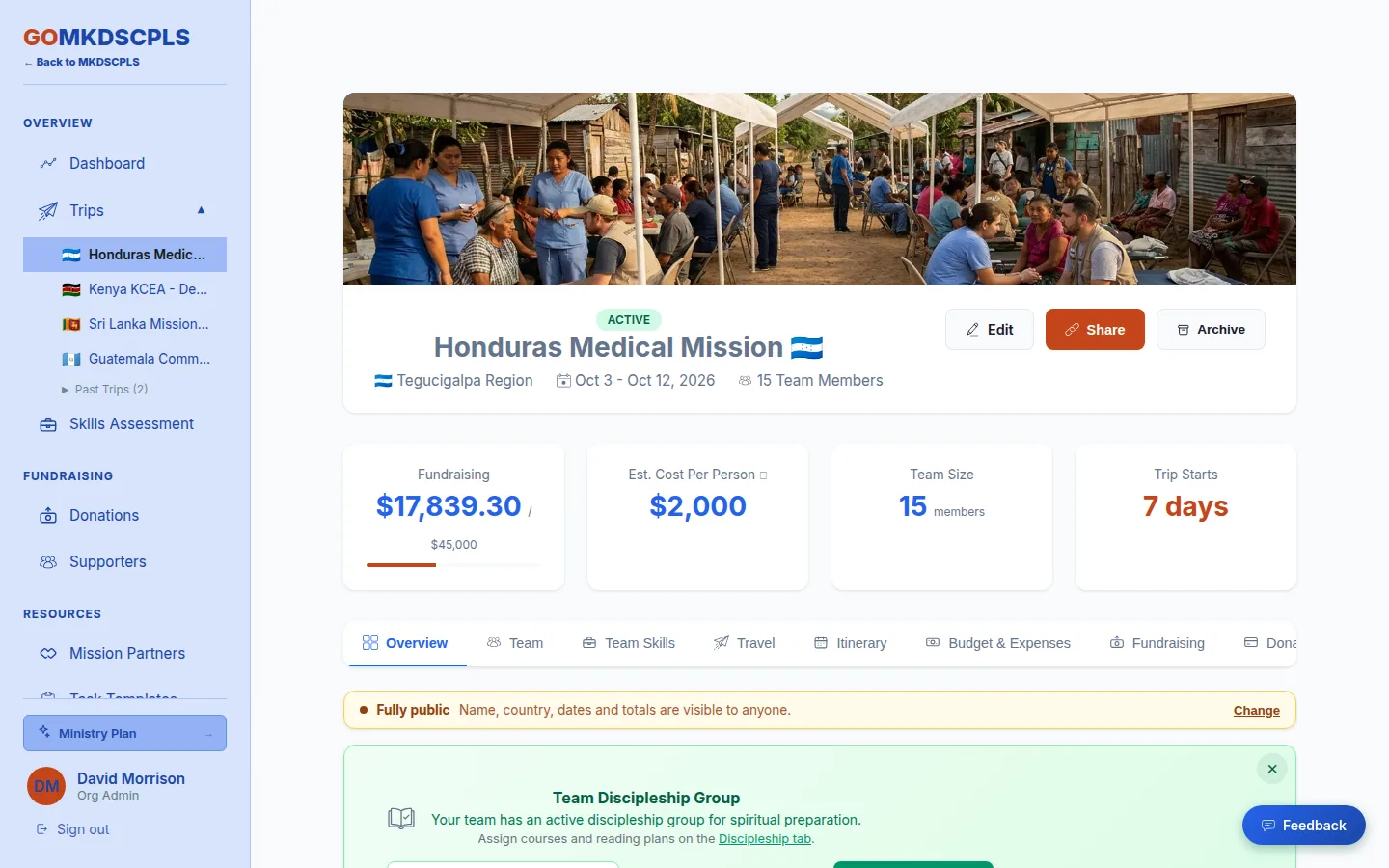
Stop juggling spreadsheets, Venmo requests, and group texts. Plan, manage, and fund your church mission trips in one place, from the first application to the last expense report.

Start Planning Free → See all features
$0
Platform fees on donations, on every plan
0.8%
ACH bank transfer fee, capped at $5
100%
Penny-accurate donation tracking

Why Churches Need Mission Trip Management Software

Most churches manage mission trips with a patchwork of free tools that break down as trips grow.

If you've led a church mission trip, you know the drill: a shared Google Sheet tracking who turned in what, a group text nobody reads, and a Venmo chain that somehow loses $47 along the way. For a small team taking one trip a year, it works, barely.

But as trips grow: more participants, more donors, more documents, tighter deadlines, the cracks show fast. Fundraising gets messy when you can't track processing fees or split donations across the team. Documents get lost in email attachments. Communication breaks down when updates are buried in group texts. Money math doesn't add up when you're doing donation splits by hand.

Mission trip planning software solves all of this in one place. So your trip leaders can spend their time preparing the team spiritually instead of chasing down paperwork. New to the process? Start with our step-by-step guide to planning a mission trip.

See the planning checklist →

Everything You Need to Manage Mission Trips

Donations, tasks, documents, fundraising, budgets, itineraries, and team devotionals, all in one mission trip management platform.

💰

Online Donation Processing

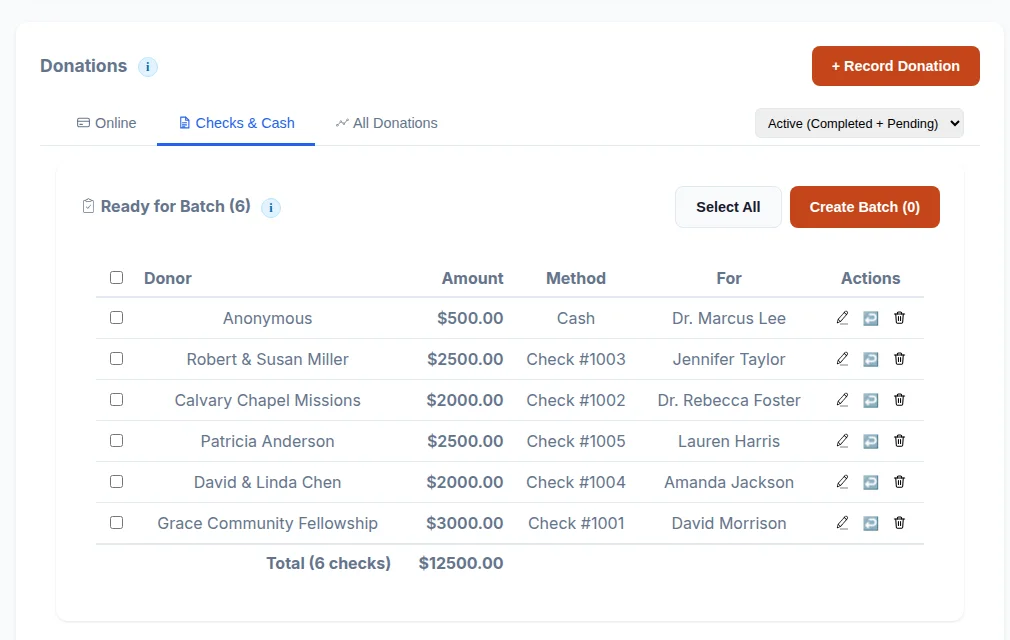
Accept credit cards (2.9% + $0.30), ACH bank transfers (0.8%, capped $5), and digital wallets. Donors see real-time fee calculations and can choose to cover processing fees. Every donation is split penny-accurately across your team, no rounding loss.

Task Management & Reminders

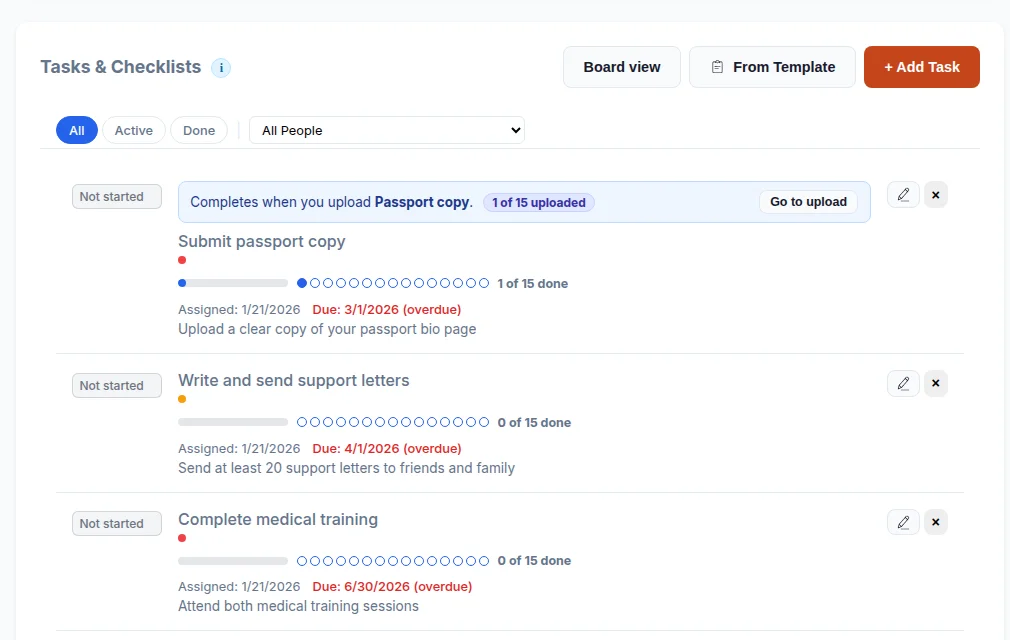
Create tasks across 8 categories: preparation, training, documents, fundraising, logistics, packing, spiritual, and other. Assign to one person or the entire team at once. Automatic daily email reminders for overdue items and a weekly leader digest every Monday morning.

📝

E-Signatures & Document Collection

Upload liability waivers, medical forms, and trip agreements. Participants sign digitally with a full audit trail for legal compliance. Guardian co-signatures for minors via email link. Automatic 3-day advance reminders and overdue notifications.

📈

Fundraising Progress Tracking

Set milestone deadlines and instantly see who is on track, at risk, or behind with per-person stoplight indicators. Collapsible roster with individual progress bars. Support for self-funded participants who opt out of donation splits.

💰

Budget & Expense Management

Track every dollar in and every dollar out. One unified view shows Total Gross, Stripe Fees, Net Received, Checks & Cash, Expenses, and Available Balance. Export detailed CSV reports for your finance team.

📅

Trip Itinerary Builder

Build day-by-day schedules with activities, times, locations, and descriptions. Copy activities from one day to another when schedules repeat. Update once and the whole team sees it instantly.

🙌

Donor Portal & Tax Receipts

Donors access their giving history through a magic link, no password needed. Download annual tax receipts, receive trip updates from supported missionaries, and see prayer requests from the field.

📖

Team Discipleship & Devotionals

Assign mission-focused reading plans and devotionals to your team. Track spiritual preparation alongside practical preparation. Because a mission trip is more than logistics. It's a discipleship journey.

👥

Applications & Team Management

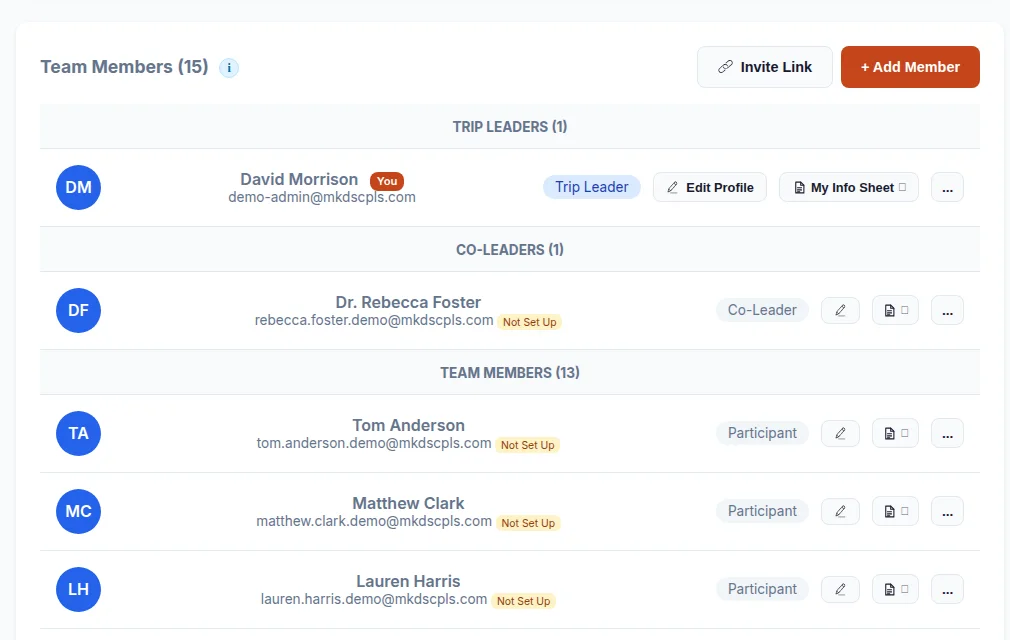
Customizable trip application form with optional auto-approval. Manage participant profiles, emergency contacts, trip roles, support staff designations, and minor/guardian relationships all in one place.

Read the step-by-step guide →
See detailed feature breakdown →

Stop Managing Mission Trips in Spreadsheets

Create your free account in under a minute. No credit card required. Start planning your next trip today.

Get Started Free →

Mission Trip Software Comparison

See how dedicated mission trip management software compares to the spreadsheet approach most churches start with.

Feature Spreadsheets Other Tools GO
Online donations with fee tracking ×
ACH bank transfers (save 75% on fees) × ×
Penny-accurate team donation splitting × ×
E-signatures with guardian co-sign for minors ×
Automated task reminders & leader digests ×
Fundraising milestone tracking per person × ×
Donor portal with tax receipts & magic link × ×
Budget & expense tracking with balance ×
Team discipleship & reading plans × ×
Zero platform fees on donations N/A ×
Work out your per-person cost →

How Mission Trip Planning Works with GO

From creating your trip to wrapping up finances. Here's how churches use GO to manage mission trips.

1

Create Your Trip

Set up your trip with destination, dates, costs, and team size. Publish a public trip page where participants can apply and donors can give. Takes about 5 minutes.

2

Build Your Team

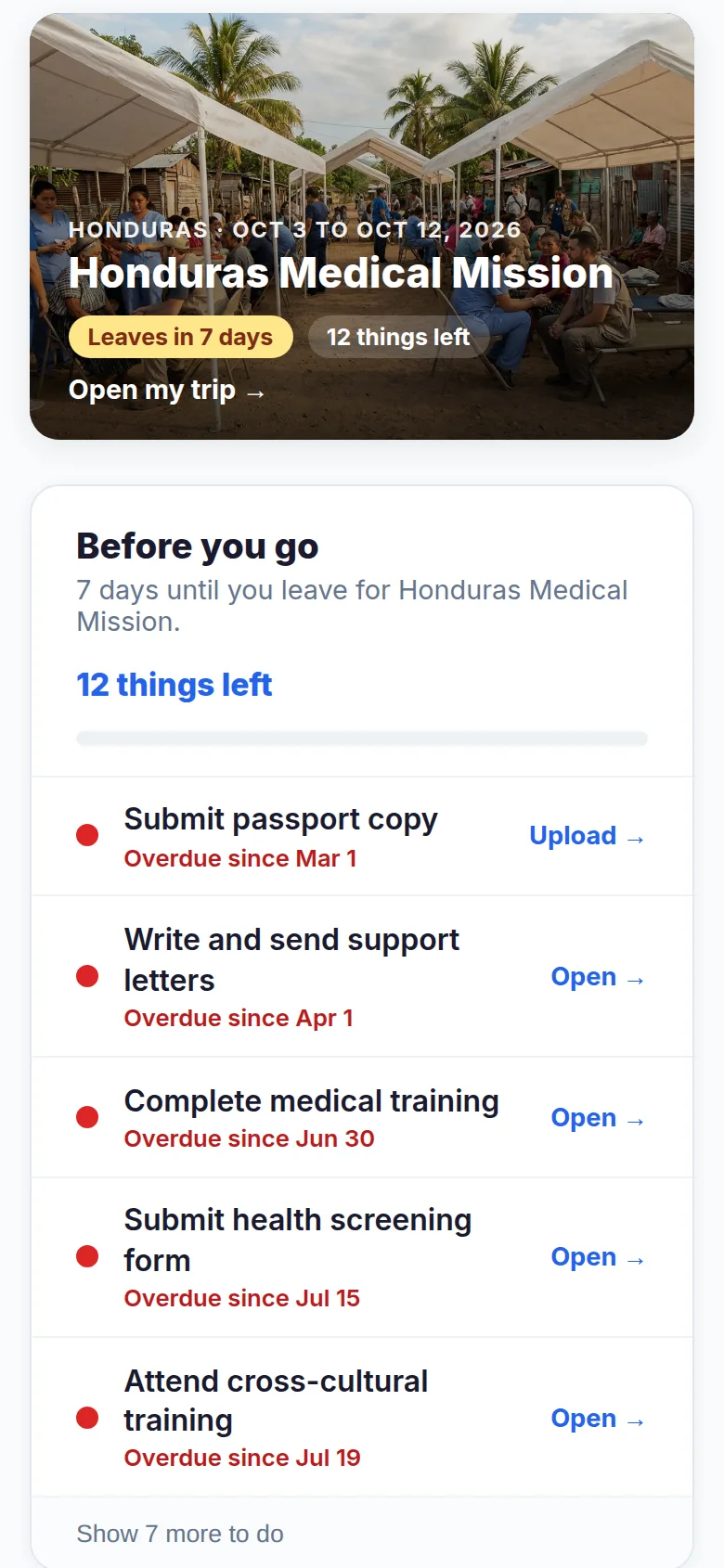
Participants apply online. Review applications, approve team members, and assign tasks: passports, immunizations, background checks, fundraising goals. Everyone sees their to-do list.

3

Collect Donations & Track Fundraising

Share donation links. Supporters give by card or bank transfer with real-time fee transparency. Donations split automatically across the team. Milestone tracking shows who needs help hitting their goal.

4

Manage Documents & Signatures

Upload waivers, medical forms, and agreements. Participants sign digitally. Guardian co-signatures for minors happen via email link. Automatic reminders keep everything on track.

5

Go On Your Trip

Your itinerary, team contacts, and trip details are all accessible on any device. Track expenses on the ground and keep your budget in real-time. Donors back home can follow trip updates.

Create Your First Trip →

Simple, Transparent Pricing

Start free. Upgrade when you need online donations or e-signatures. Zero platform fees on every plan.

Free

For churches getting started

$0/mo
Free forever
  • Up to 5 active trips
  • Basic task checklists
  • Manual payment tracking
  • 250 MB storage per trip
Get Started Free

Starter

For churches running trips

$9/mo
or $90/year (save 17%)
  • Online donations (0% platform fee)
  • 1 signable document
  • Team communication
  • 1 GB storage per trip
Start with Starter
See full pricing details & FAQ →

Built for Every Kind of Church Mission Trip

Whether it's a youth trip, a construction build, or a long-term partnership. GO scales to fit your mission.

Youth Mission Trips

Guardian co-signatures for minors, parent-friendly donation pages, age-appropriate task lists, and trip updates that keep parents informed. Built with youth ministry leaders in mind.

Church-Wide Mission Trips

Manage large teams with bulk task assignment, per-person fundraising tracking, and role-based access. Support staff can help with admin without seeing everything.

Multi-Trip Programs

Running several trips a year? The Ministry plan gives you unlimited trips with a single dashboard view. Track budgets, teams, and timelines across all your active trips.

Frequently Asked Questions

What is mission trip planning software?

Mission trip planning software is a tool that helps churches manage every aspect of a mission trip in one place: online donations, team task management, document collection and e-signatures, fundraising tracking, budget and expense management, trip itineraries, and team communication. It replaces the patchwork of spreadsheets, Venmo, email chains, and paper forms that most churches use.

How much does mission trip management software cost?

GO offers a free tier for churches getting started (up to 5 trips, basic task management). The Starter plan is $9/month and adds online donations with zero platform fees. The Ministry plan is $39/month with unlimited trips, e-signatures, and priority support. All plans charge zero platform fees on donations. You only pay standard Stripe processing.

Can donors give without creating an account?

Yes. Donors give directly on the trip's donation page, no account needed. They can choose card, ACH bank transfer, or digital wallet. After giving, they receive a receipt and can access a donor portal via magic link for giving history and tax receipts.

Does the software handle individual fundraising for team members?

Yes. Donors can give to specific team members or to the trip as a whole. Team donations split penny-accurately across all active fundraisers. Per-person milestone tracking with stoplight indicators (green, yellow, red) shows leaders exactly where the team stands.

Can we collect signed waivers through the software?

Yes. Upload liability waivers, medical forms, and other documents for digital signatures. Guardian co-signatures for minors happen via email link. Full audit trail for legal compliance, plus automatic reminders for approaching and overdue deadlines.

Start Planning Free →

Your Next Mission Trip, Simplified

Join churches using GO to plan trips, track fundraising, and prepare teams, without the spreadsheet chaos. Free to start, no credit card required.

Get Started Free →
A team standing together in a circle
“How then will they call on him in whom they have not believed? How will they believe in him whom they have not heard? … And how will they preach unless they are sent? As it is written: ‘How beautiful are the feet of those who preach the Good News of peace.’” Romans 10:14-15
The beauty of following God comes with the first step. The consistency comes after you realize the power of the first yes. Robert Krause, Founder

The logistics exist so the sending can happen

Nobody starts a mission trip because they wanted to build a budget spreadsheet. They start because someone has not heard, and going is how hearing happens.

But the spreadsheet still has to exist. Flights get booked, applications get read, waivers get signed, and money gets tracked to the dollar. GO takes that weight off the trip leader so the trip can be about the people rather than the paperwork.

There are two yeses, and underneath they are the same one: yes to follow Christ, and yes to be used by him, next door or on the other side of the world. GO is built for the second. Start Discipling is built for the first.

What prepares your team

Booking the flights is the easy half. The harder half is a team that arrives ready, and comes home without losing what happened to them. Both are courses your church already has access to on MKDSCPLS, the discipleship platform GO is built alongside.

Before the trip

Mission Trip Preparation, seven sessions: why go, expecting the unexpected, cross-cultural sensitivity, team dynamics, spiritual preparation, being ready to serve, and what it means to be sent.

After the trip

Journey Home, seven sessions of guided debrief, beginning on the last day. What did I see, the hard parts, what God taught me, how to tell the story, and what now. The weeks after a trip decide whether it changes anything.

Before either of those sits a third: The First Yes, six sessions on why anyone goes at all, written for people with no trip on the calendar. The argument behind it is on Start Discipling.