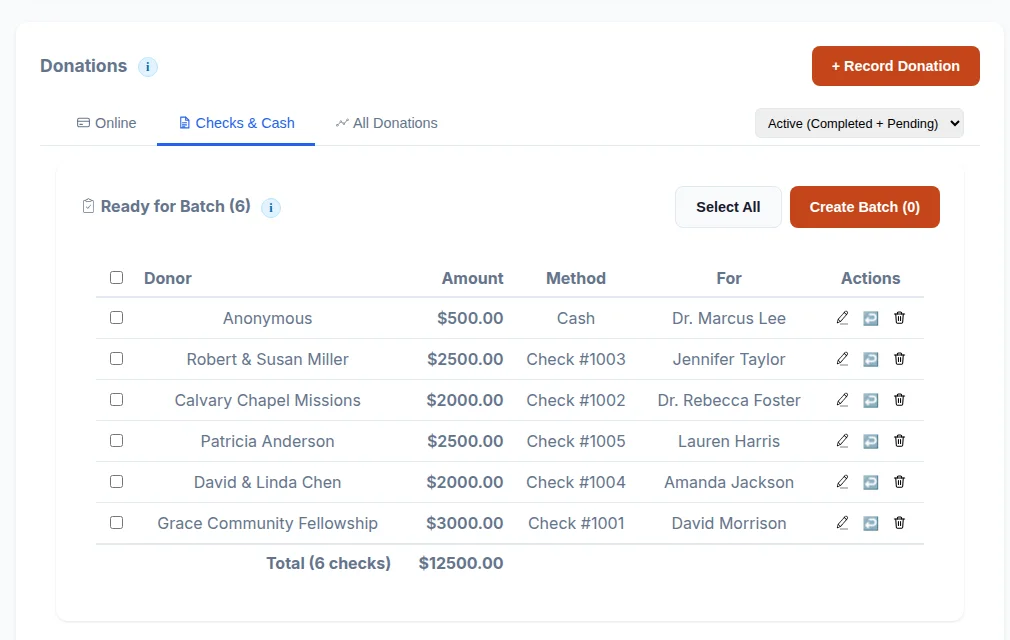
Penny-Accurate Donation Tracking
When a donor gives to your trip, the software splits it across your team with zero rounding loss. Remainder pennies are distributed fairly. Every dollar is accounted for.
- Credit/debit cards (2.9% + $0.30)
- ACH bank transfers (0.8%, capped at $5)
- Digital wallets via Stripe Link
- Donors choose to cover processing fees
- Real-time fee display when switching payment methods
- CSV export with fees, net amounts, and check/cash tracking
Task Management with Automated Reminders
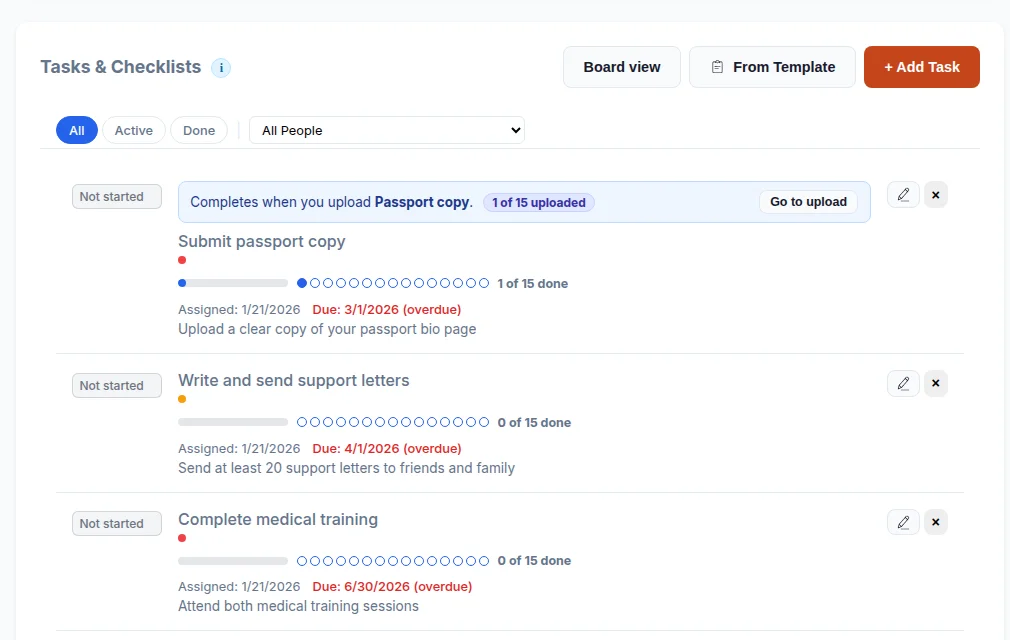
Create tasks across 8 categories: preparation, training, documents, fundraising, logistics, packing, spiritual, and other. Assign to one person or the whole team at once.
- Filter by status, category, or person
- Track assigned date, due date, and completed date
- Red overdue indicators so nothing slips
- Daily email reminders for upcoming and overdue tasks
E-Signatures & Document Management
Upload liability waivers, medical forms, and trip agreements. Participants sign digitally right from the platform: no printing, scanning, or mailing required.
- Built-in PDF viewer with digital signature capture
- Guardian co-signatures for minors (via email link)
- A record of who signed and when, and a signed copy emailed to each signer
- 3-day advance reminders before deadlines
- Automatic overdue notifications
Fundraising Milestones & Progress
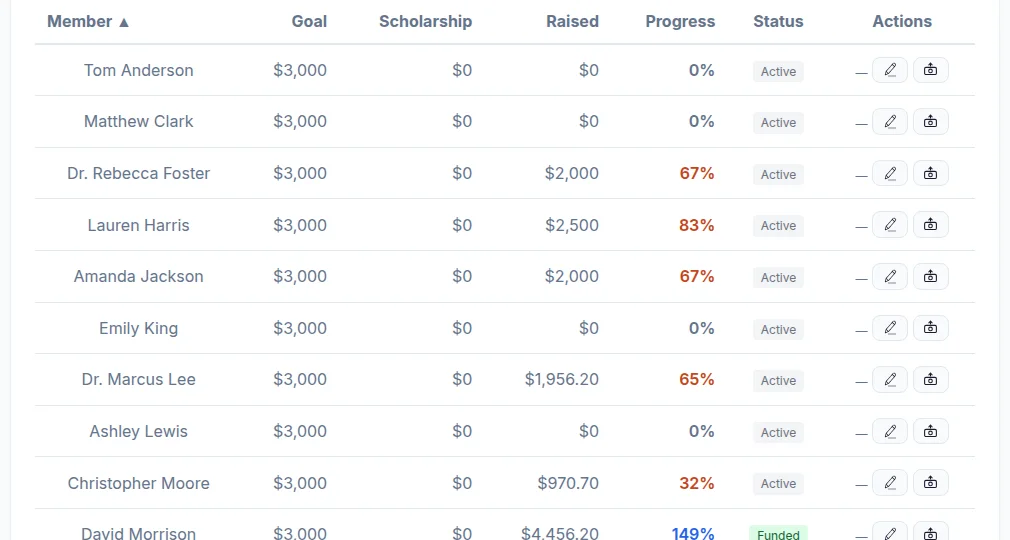
Set deadline-based milestones (like "50% raised by April 1") and instantly see who is on track. Per-person stoplight indicators make it obvious where to focus.
- Green, yellow, and red status for each participant
- Collapsible roster with individual progress bars
- Summary line: "2 behind · 5 on track · 1 fully funded"
- Self-funded exemption for participants not fundraising
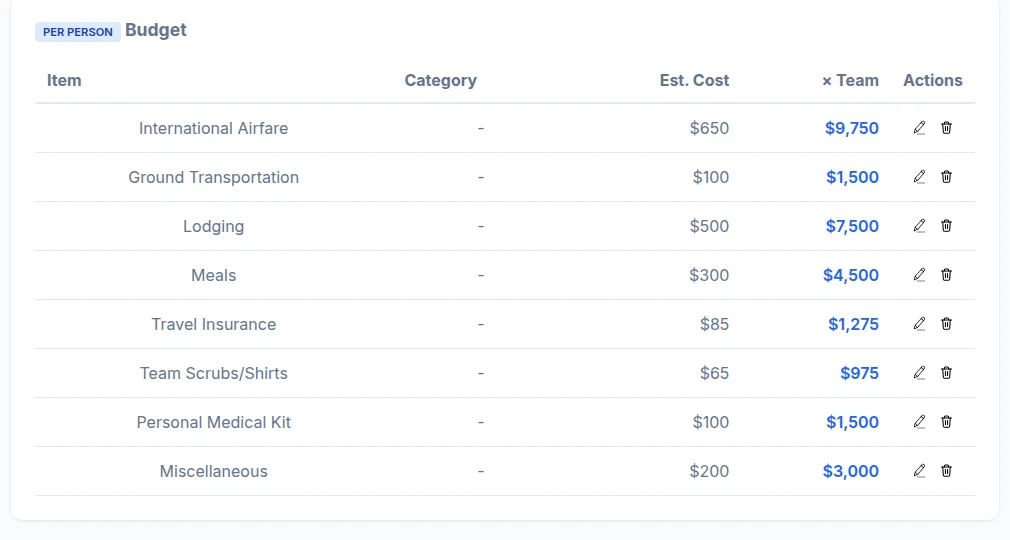
- Support staff excluded from per-person budget calculations
Budget & Expense Tracking
Track every dollar in and every dollar out. One unified view shows Total Gross, Stripe Fees, Net Received, Checks & Cash, Expenses, and Available Balance.
- Record expenses against funds raised
- Net Received vs. Expenses = Available Balance
- Support staff can view and record payments
- Financial summary cards at a glance
Donor Portal
Donors access their giving history through a simple magic link: no password, no account creation. They can download tax receipts, see trip updates, and view prayer requests.
- Magic link authentication (no passwords)
- Complete giving history with recipient details
- Annual tax receipt download
- Trip updates from the team they supported
- Aggregated impact metrics
Trip Itinerary & Logistics
Build a day-by-day schedule the whole team can see. Add activities, locations, times, and descriptions. When plans change, update once and everyone is current.
- Day-by-day itinerary builder
- Copy activities from one day to another
- Location and time tracking for each activity
- Visible to all team members
Team Discipleship
A mission trip is more than logistics. Assign reading plans, devotionals, and courses to your team. Track spiritual preparation alongside practical preparation.
- Built-in reading plans (including mission-focused plans)
- Leader can assign plans as team tasks
- Track completion alongside trip preparation
- Part of the larger MKDSCPLS discipleship platform
Applications & Team Management
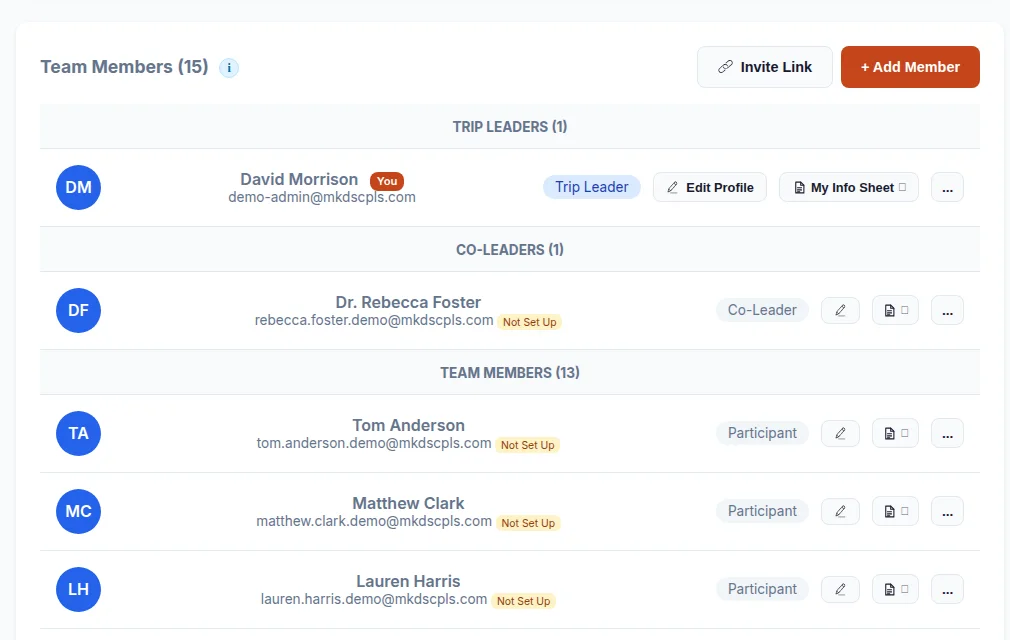
Customizable trip application form with optional auto-approval. Manage participant profiles, emergency contacts, trip roles, and more.
- Public trip application page
- Leader review and approval workflow
- Application deadline enforcement
- Participant profiles with phone, email, and emergency info
- Support staff and self-funded role designations